View system-defined filters
This task allows you to examine and understand the system-defined dynamic attributes filters that are automatically created during the configuration process.
This task discusses how you associate an identity source with Cisco Identity Intelligence, which provides user and device risk ratings to the Security Cloud Control.
Before you begin
Procedure
Step 1 | The system displays a set of system-defined dynamic attributes filters, as shown in the following figure.
|
Step 2 | View the system-created filters. Click |
Step 3 | Click Next. |
Step 4 | Continue with View system-defined access control rules. |
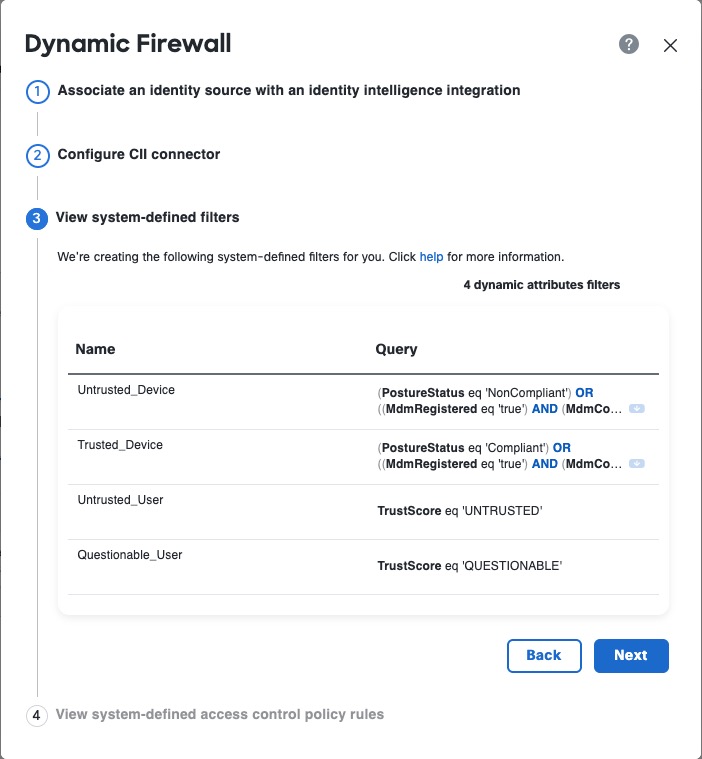
 on any row to expand the filter so you can view the filter and see its details.