View system-defined access control rules

This task allows you to review and decide whether to create system-defined access control rules for your dynamic firewall instance.

This task discusses access control rules created by the dynamic firewall.

Before you begin

See View system-defined filters.

Procedure


Step 1

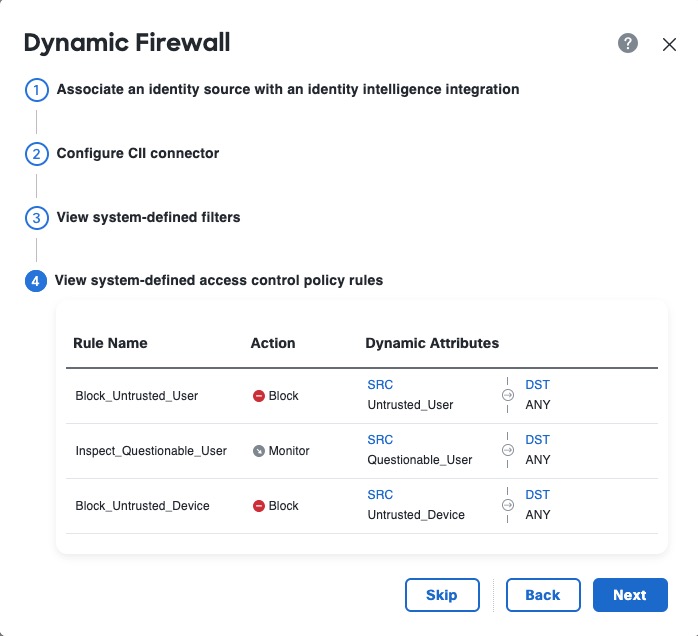
View the system-created access control rules.

The following figure shows an example.

The figure illustrates an example of system-defined access control rules, highlighting the configuration options available for creating a Dynamic Firewall Policy.

Step 2

Choose one of these options:

  • Click Skip to skip creating these access control rules. You can create your own anytime.

  • Click Next to create an access control policy named Dynamic Firewall Policy with the rules shown in the preceding figure.

  • Click Back to return to system-created filters.

Step 3

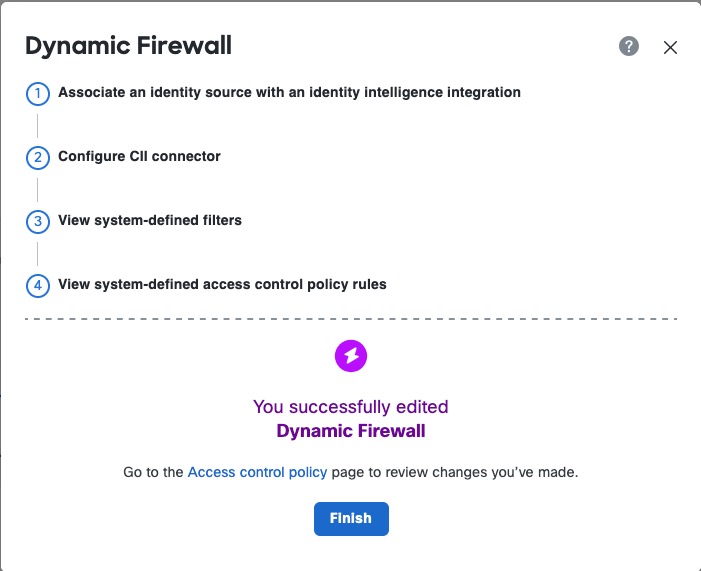
After you click Next, if you created access control rules successfully, the following page is displayed:

The image illustrates the system-defined access control rules for the Dynamic Firewall Policy, detailing the specific rules that can be created or skipped during the policy setup process.