Associate an identity source with Identity Intelligence
Associate a supported identity source with Identity Intelligence to enable user and device trust ratings for dynamic firewall configuration.
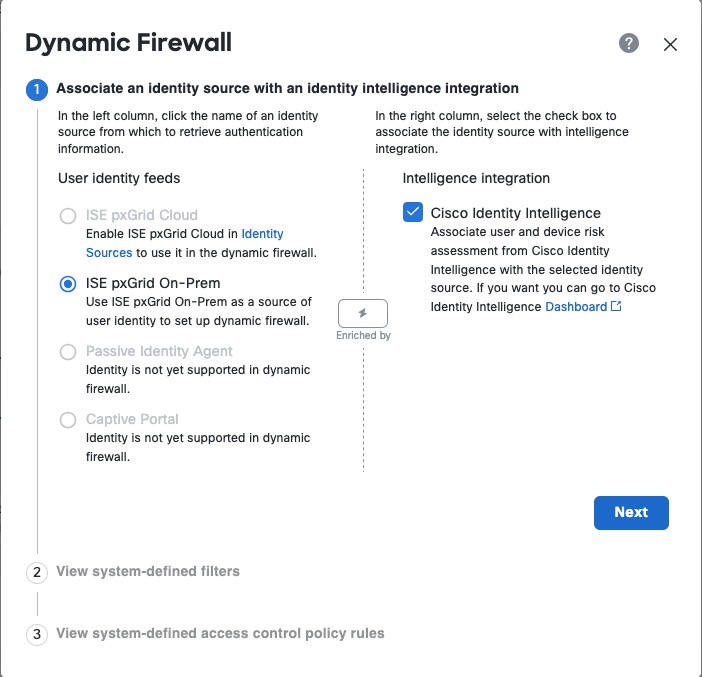
This task discusses how you associate an identity source with Identity Intelligence, which provides user and device trust ratings to the Security Cloud Control.
For more information, see User Trust Level.
Before you begin
Before you begin, make sure you:
-
Understand how the identity realm, identity source, and Identity Intelligence work together as discussed in Dynamic Firewall.
-
Completed the tasks discussed in Create a dynamic firewall instance.
Procedure
Step 1 | Start with Create a dynamic firewall instance. |
Step 2 | On the next page, from the left column, click your identity source. Then, in the right column, select the Cisco Identity Intelligence check box to add user intelligence, including user and device risk. The following figure shows an example.
|
Step 3 | Click Next. |
Step 4 | Continue with Configure Identity Intelligence. |