Analyze access control policies
This task allows you to assess an access control policy before making changes, review policy health, or re-run analysis after policy updates.
If a policy has not been analyzed, you can start a new analysis. If the analysis is out of date, you can re-analyze the policy to refresh the results.
Note | When you create a new policy, it might take a while for the Policy Analyzer and Optimizer to fetch the policy details and show up on the Policy Analyzer and Optimizer. Click the refresh ( |
 ) button on the top-right corner to manually refresh the page to see new policies.
Procedure
Step 1 | Choose . 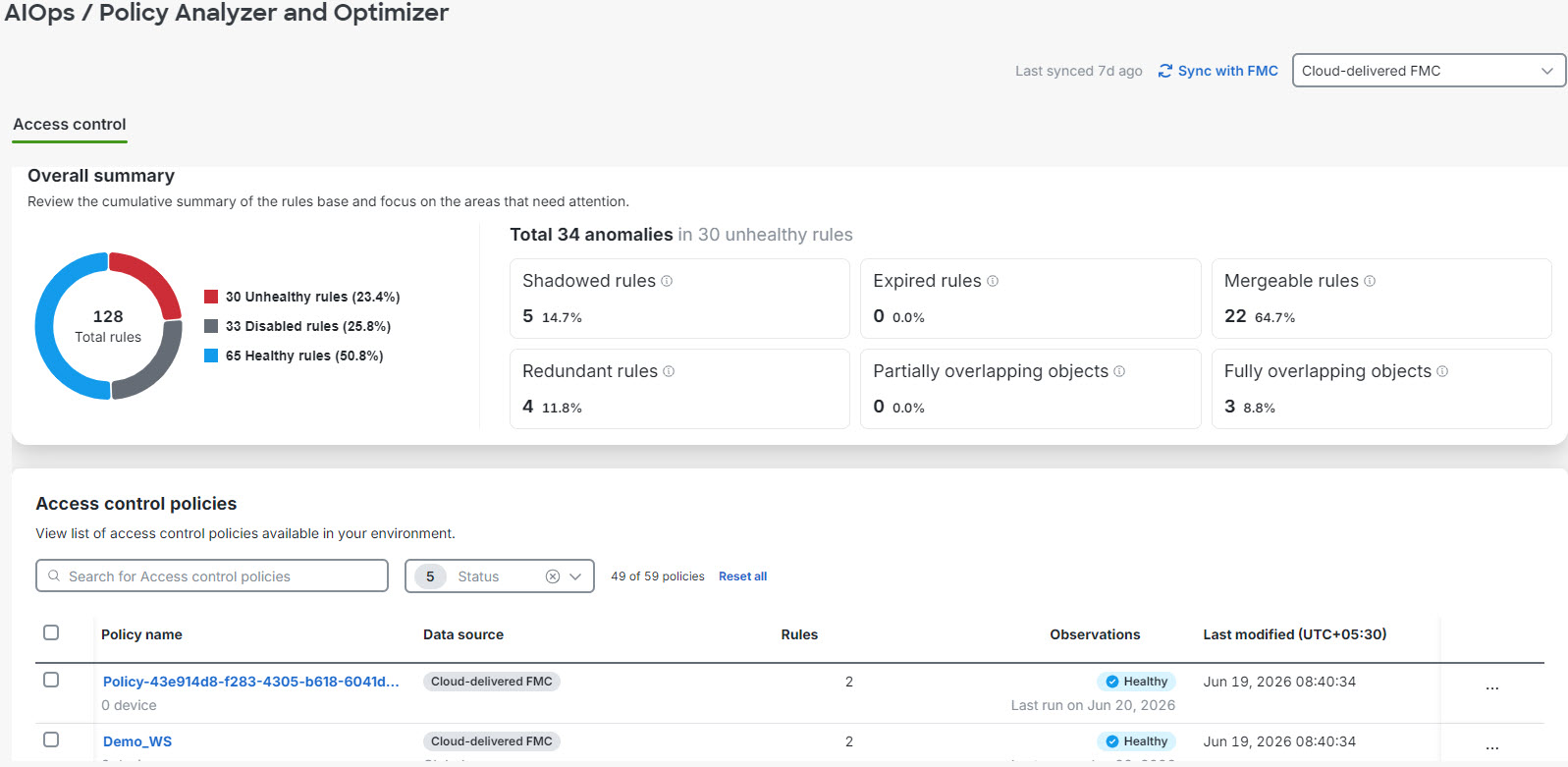 | ||
Step 2 | In the right pane, select Cloud-delivered FMC or an On-Premises Firewall Management Center from the drop-down list as the data source whose policies you wish to analyze. | ||
Step 3 | In the Access Control area, select the policy you want to analyze or review.
The Overall summary section displays the total number of rules categorized by their health status: healthy, disabled, or unhealthy, for the selected management center (Cloud-Delivered Firewall Management Center or On-Premises Firewall Management Center). The dashboard also highlights specific anomalies within your unhealthy rules. You can review the count and percentage for the categories: Shadowed rules, Expired rules, Mergeable rules, Redundant rules, Partially overlapping rules, Fully overlapping objects. |
The Policy Analyzer and Optimizer displays the analysis results, showing rule health status and identifying any policy anomalies that require attention.