Duplicate rules in access control policy
Duplicate rules are access control policy rules that
are shadowed or redundant rules with anomalies detected by analysis
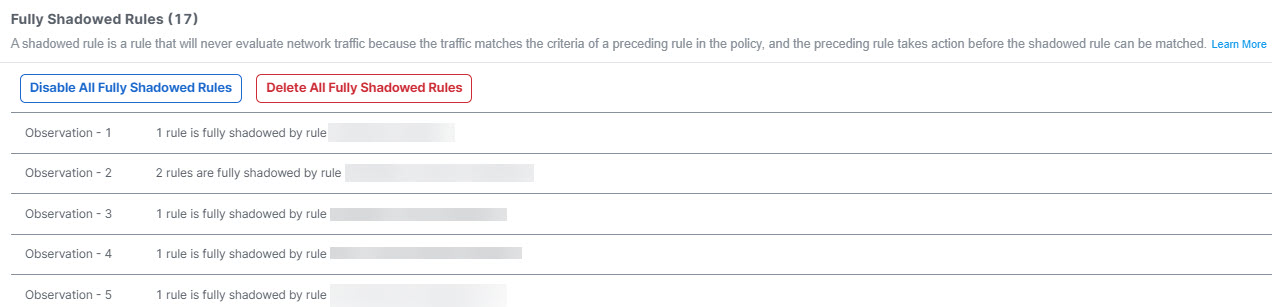
include fully shadowed rules that will never evaluate network traffic because another rule that precedes it overshadows this rule, and
include fully redundant rules that are part of another larger rule, such that removing this redundant rule does not impact network traffic.
Duplicate rule analysis
The Duplicate Rules tab lists shadowed and redundant rules with anomalies:
A Fully Shadowed rules is one that will never evaluate network traffic because another rule that precedes it over shadows this rule.
A Fully Redundant rules is one that is just a part of another larger rule, such that removing this redundant rule does not have an impact on the network traffic, because the traffic evaluation that this rule must perform is already performed by another rule.
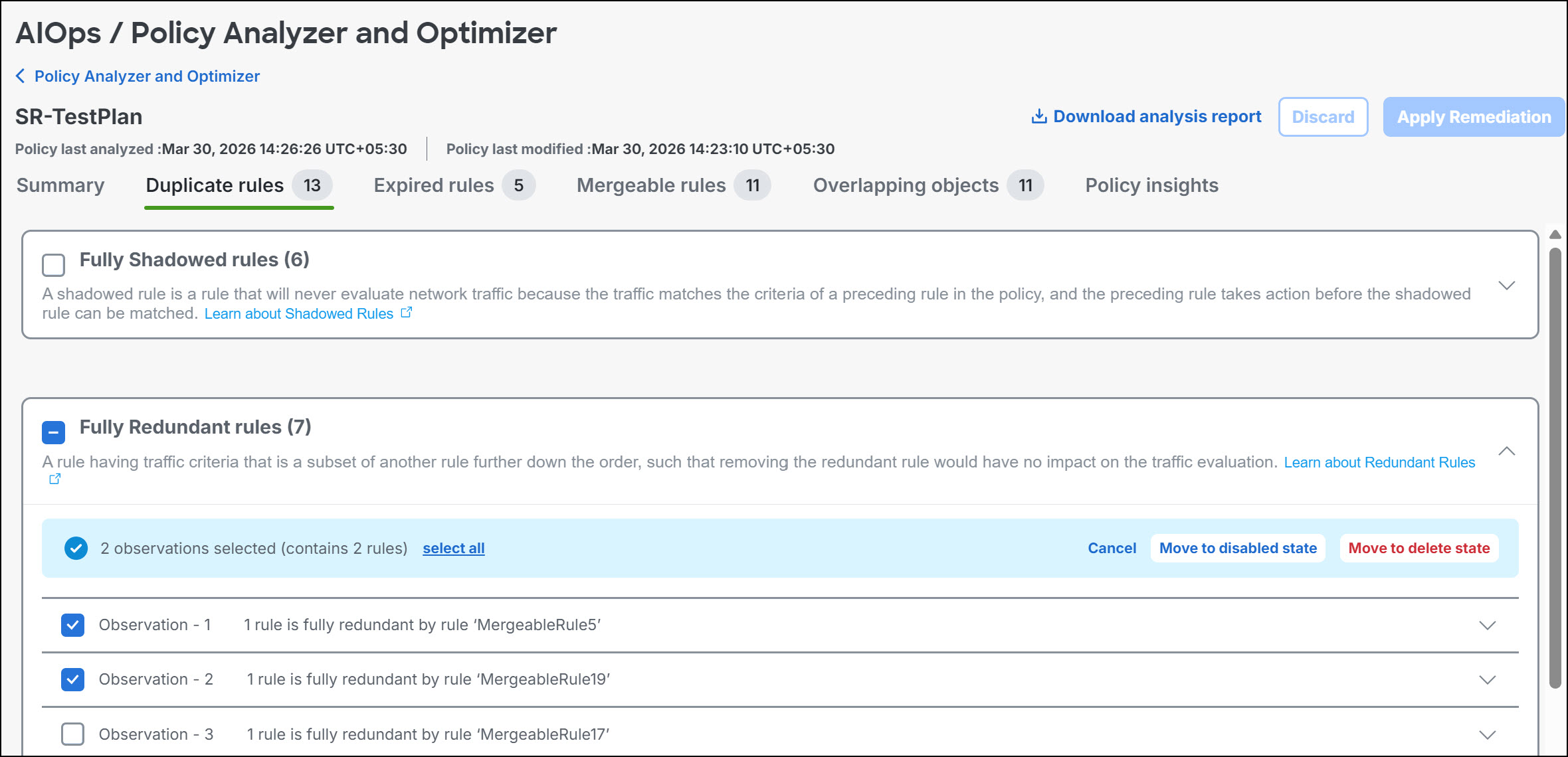
You can remediate all duplicate-rule observations in a category, selected fully shadowed or fully redundant observations, or individual rules within an expanded observation. For selected duplicate rules, choose Move to disabled state or Move to delete state. Disable rules first when you want to measure the impact before deleting them.
Note | Expand each observation to review the affected rules before you stage a remediation. Each rule in the list is displayed with a set of attributes; click the settings button on the top right to select which rule attributes you want to display along with the rule. |
When duplicate-rule remediation removes shadowed or redundant rules and retains a base rule, Policy Analyzer and Optimizer adds a standardized comment to the retained rule. The comment identifies the retained rule and the removed rules, which helps you audit the cleanup.
After you stage the selected duplicate-rule remediations, you can still Undo them before clicking Apply Remediation. It is recommended that you disable rules first to measure the impact and delete them later, because deleting them permanently removes them.
You can enable the disabled rules any time by navigating to the Cloud-Delivered Firewall Management Center or the On-Premises Firewall Management Center on which the rules are present.