Auto onboard On-Prem FMCs from Cisco security cloud
Disable the auto-onboarding of On-Premises Firewall Management Centers from your Cisco Security Cloud to your Security Cloud Control tenant to control device authorization.
Disabling the auto-onboarding functionality stops new On-Premises Firewall Management Centers from being automatically added from your Cisco Security Cloud tenant. This procedure is available to Super Admins and Admins.
Note | Only a Super Admin or Admin can enable or disable this functionality on Security Cloud Control. |
Procedure
Step 1 | Choose . |
Step 2 | Turn off the Auto onboard On-Prem FMCs from Cisco Security Cloud toggle button to disable the auto-onboarding of On-Premises Firewall Management Center. |
Step 3 | Click Confirm.
|
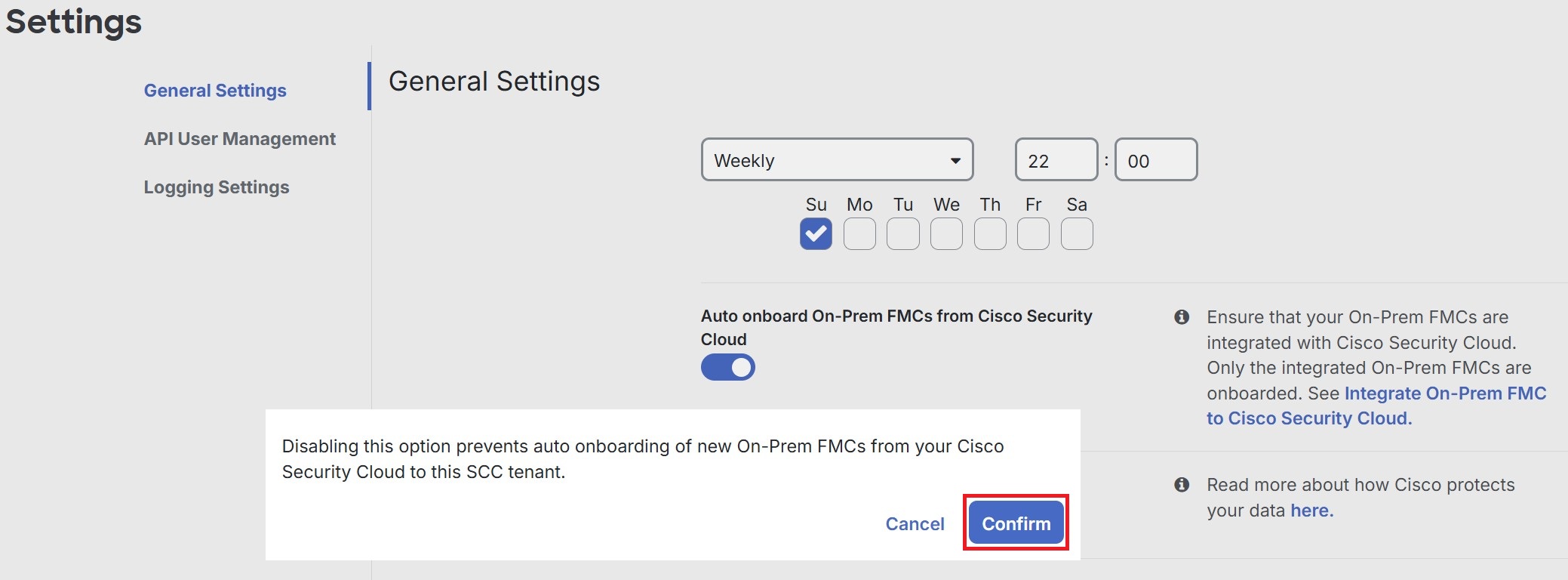
Auto-onboarding is disabled and new On-Premises Firewall Management Centers will not be automatically added from your Cisco Security Cloud tenant.